Stock tracking has never been this easy.
Scan QR codes and barcodes, import your Excel as-is, see what's running low at a glance, and share your inventory with your team.
7-day free trial · Cancel anytime
Tidy stock in three steps.
Add your products
Scan a barcode, type them in, or import your Excel as-is. With photos, categories, and locations.
Track your stock
Record what comes in and goes out. Get notified when a product drops below the threshold you set.
Share with your team
With Pro, invite team members by email. Everyone sees the same inventory and every change is logged.
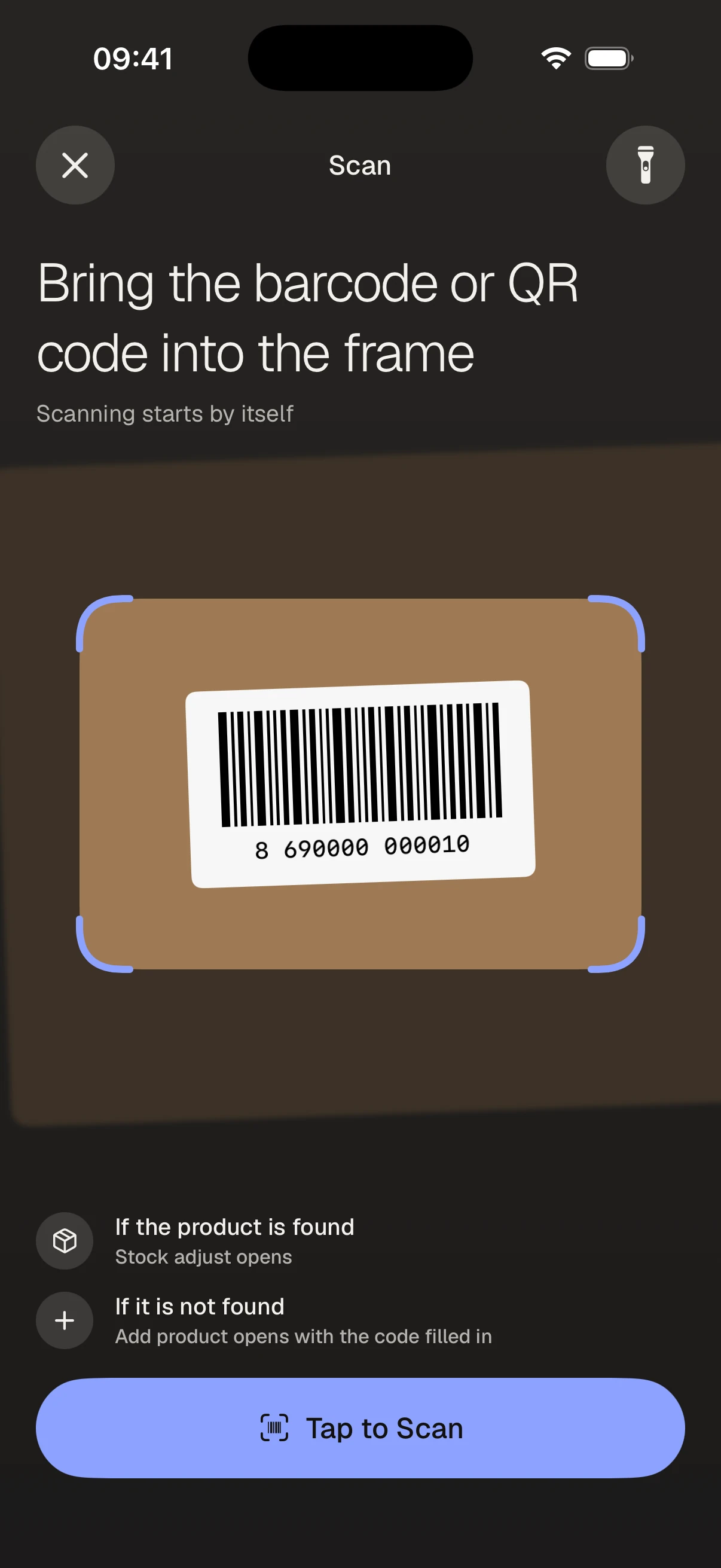
Point the camera, product ready.
Scan barcodes or QR codes with your iPhone's camera. A known product opens its stock sheet instantly; a new one opens the add screen. One motion for stock-in and counts.
- No extra hardware — your phone is enough
- Update the scanned product's stock, location, and photo on the spot
Move your Excel stock in 5 minutes.
Pick your .xlsx, .csv, or .tsv file. Column headers match automatically and folders become categories and locations. No retyping.
- Files exported from Excel, Numbers, or another app
- Fix column mappings by hand if needed
- Download a blank template and fill it in
Let your team see the same inventory.
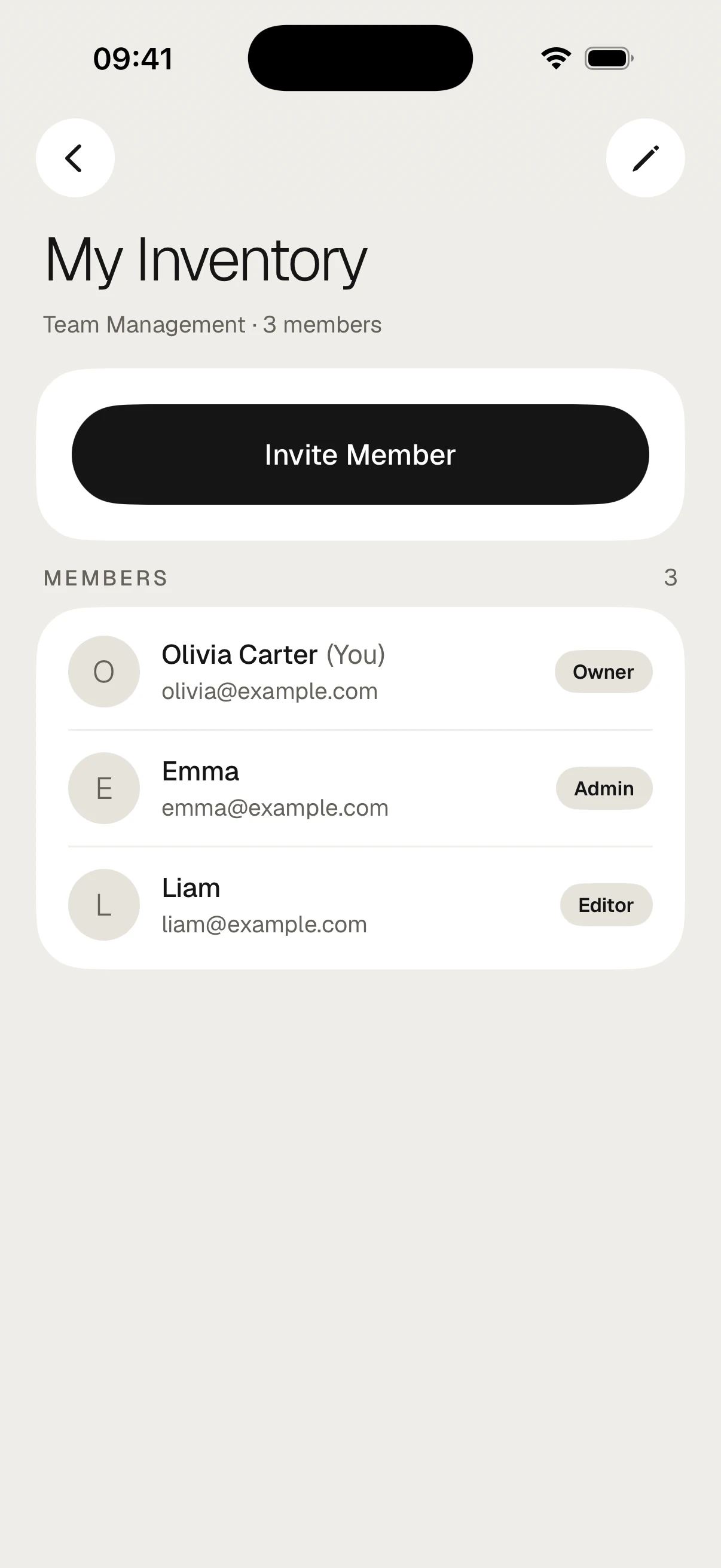
Invite team members by email and give them roles. Who changed what, and when — it's all in the activity history.
- Roles: Admin, Editor, Stock Manager, Viewer
- Invitations match by email and stay valid for 7 days
- Unlimited activity history
From alerts to reports, all in one place.
Low-stock alerts
Set a threshold per product. When stock drops below it, you get a notification — no more missed reorders.
Multiple locations
Warehouse, shelf, branch. Track every product together with where it is, and move it between locations.
Report export
PROGet your product list and activity as CSV, Excel, or PDF; send it to your accountant or partner.
Your data is safe
Encrypted connection, secure cloud. GDPR and KVKK compliant; delete your account and data whenever you want.
Take a closer look.
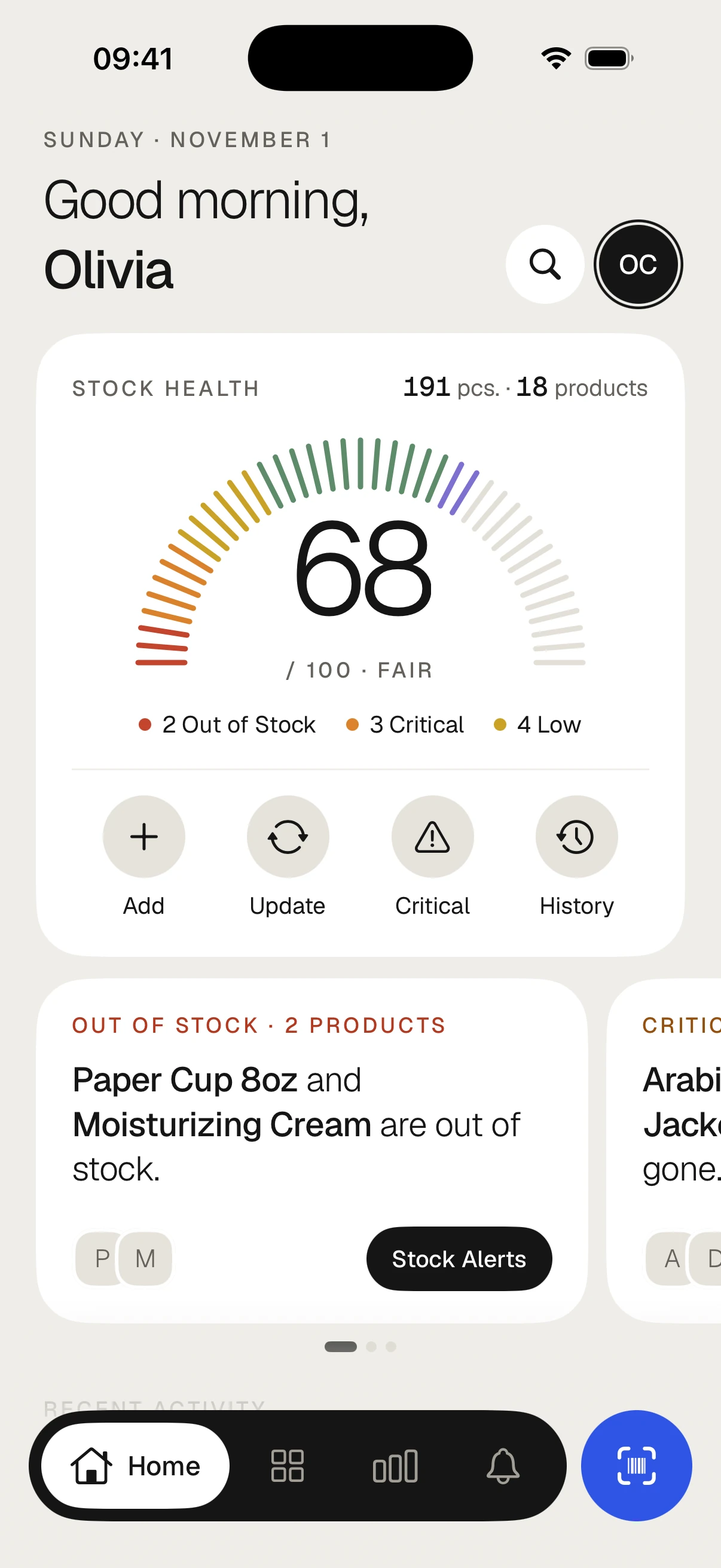
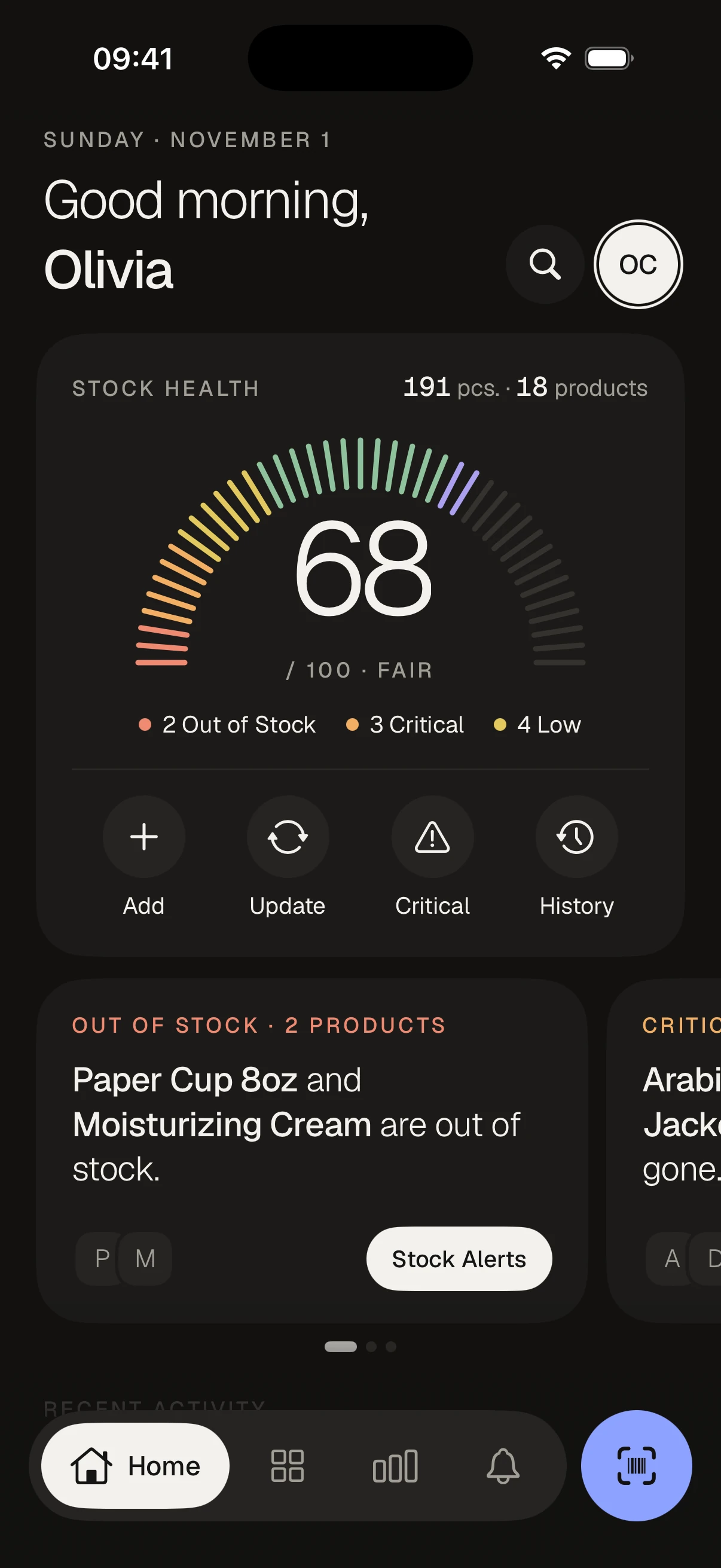
Stock health, at a glance.
Open the app and see how much stock you have, how many products are short and what needs a look today.
Scan it, update in seconds.
Point the camera at a product; its stock sheet opens, set the count and move on.
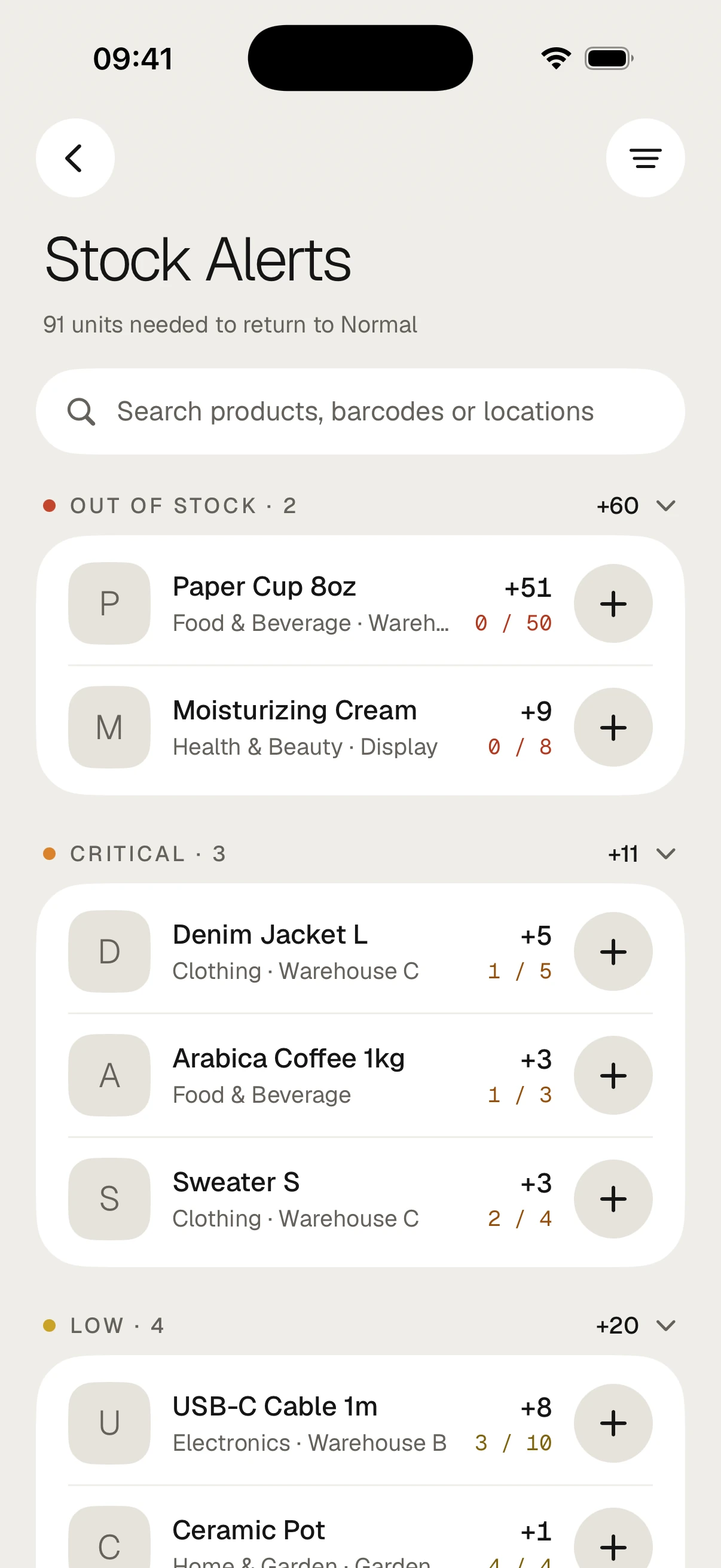
See what's running low.
Products are grouped by status, and each row says how many units it needs to get back to Normal.
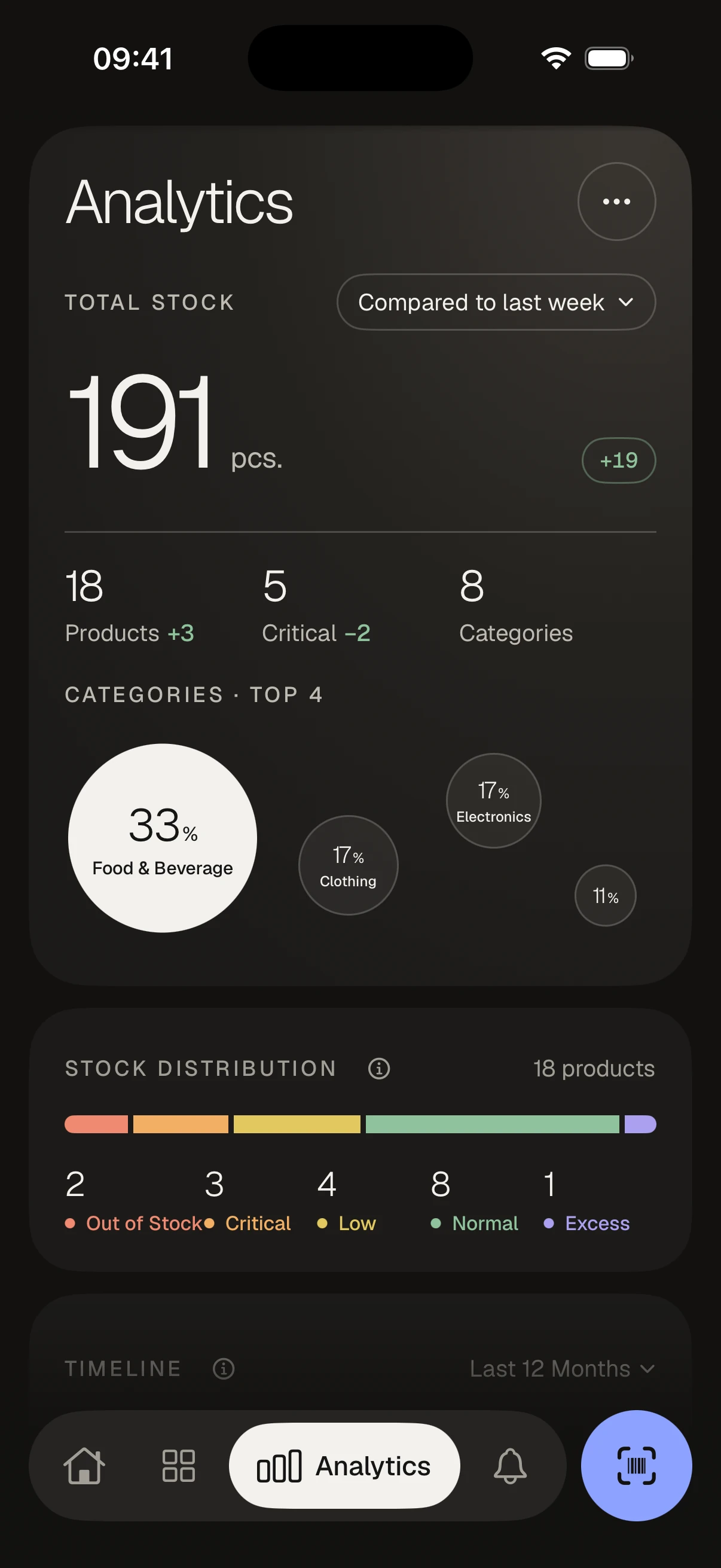
Know your numbers.
Total stock, categories and the five-status distribution: see what moves and what sits.
Start free, go Pro when you grow.
Prices are shown in the app in your local currency.
- Up to 50 products
- 1 photo per product
- 30-day activity history
- QR/Barcode scanning
- Excel/CSV import
- Team sharing
- Report export
- Advanced analytics
- Alternate icons
- Unlimited products
- Team sharing & shared inventory
- 3 photos per product
- Unlimited activity history
- CSV / Excel / PDF export
- Advanced analytics
- Alternate app icons
Pro starts with a 7-day free trial; cancel before it ends and you won't be charged. Subscriptions are managed through the App Store and can be cancelled anytime.
On the Free plan you can add up to 50 products, upload 1 photo per product, and view the last 30 days of activity history. Team sharing isn't available on Free. Upgrade to Pro for unlimited products, team sharing, 3 photos per product, unlimited history, report export, and advanced analytics.
Get your stock in order today.
Start free, move your Excel in 5 minutes. Try Pro for 7 days.
Download on the App StoreMade for iPhone · In 10 languages